
MCP Server
Connect Claude, Cursor, or any AI assistant to your store's analytics. Ask questions about your data in plain English.
The Zappush MCP server connects your AI assistant to your store. Once set up, you can ask questions like "what was my conversion rate last week?" and get answers from your real data, no dashboards or SQL required.
It works with Claude, Codex, Cursor, Windsurf, VS Code, and anything else that supports MCP.
1. Log in
Run this once in your terminal:
cd ~ && npx -y @zappush/mcp@latest loginYour browser opens. Sign in to your Zappush account and authorize access. After that, your credentials refresh automatically and you do not need to log in again.
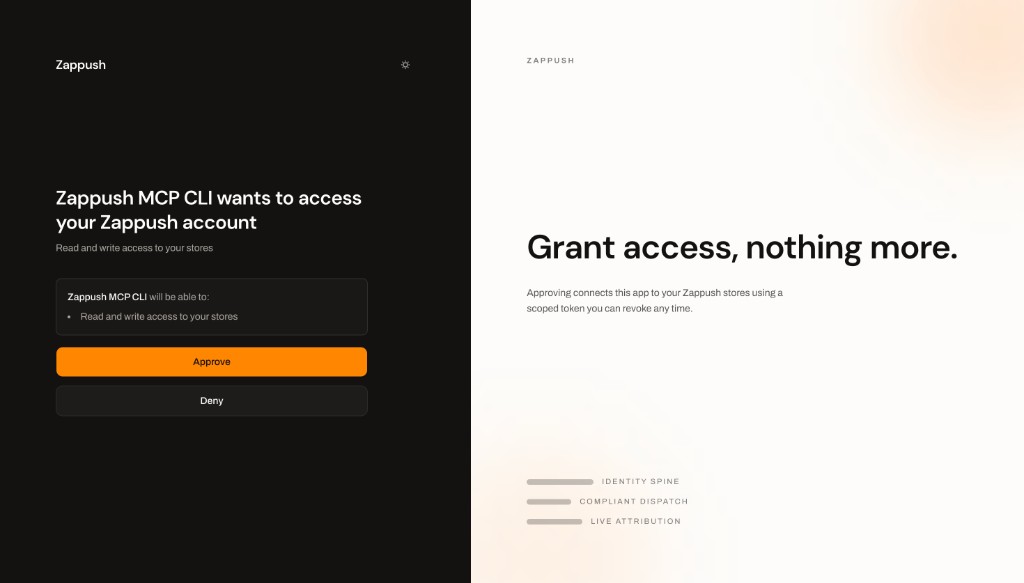
Select Approve to connect the MCP CLI to the stores available to your account.
Run the login command in your normal terminal, not inside an AI chat. If you already
have an MCP key from Settings > Developer, you can set it as the
ZAPPUSH_API_KEY environment variable instead.
2. Add the server
Pick your tool.
Cursor
Claude Code
Run these commands inside Claude Code:
/plugin marketplace add zappush/unrestrict-mcp
/plugin install zappush@zappush
Codex
Run this in your terminal:
codex mcp add zappush -- npx -y @zappush/mcp@latest
codex mcp list
Start Codex and run /mcp to confirm that zappush is connected.
Claude Desktop
Open Settings > Developer > Edit Config, add zappush to mcpServers, and
restart:
"zappush": {
  "command": "npx",
  "args": ["-y", "@zappush/mcp@latest"]
}
Windsurf
Open Settings > MCP > Add Server > Custom. Set the name to zappush and the
command to npx -y @zappush/mcp@latest.
VS Code
Open the Command Palette and run MCP: Add Server. Choose Command (stdio),
enter npx -y @zappush/mcp@latest, and name it zappush.
3. Start asking questions
Your assistant now has access to your store's data. Try things like:
- "How many events happened in the last 24 hours?"
- "Show me revenue by channel for last month"
- "What's my conversion rate by country this week?"
- "Which products have the highest add-to-cart rate?"
- "How is CAPI delivery health looking for Meta?"
- "Compare mobile vs desktop conversion rates this month"
The assistant reads your table schema, writes the query, and returns results. You do not need to know SQL.
Multiple stores
If you manage more than one store, mention the store by name and the assistant resolves it for you. You can also ask "which stores do I have access to?" to see the full list.
What data is available
Your assistant can query events, sessions, orders, attribution touchpoints, shopper profiles, product catalog, traffic routes, and server-side delivery health. All the data you see in your Zappush dashboard is available here.
Security
Every query is read-only and sandboxed. Your assistant can only see data from stores you have access to. Write operations are blocked, and each query runs in an isolated session scoped to your store.
Uninstall
For Claude Code:
/plugin uninstall zappush@zappushFor Codex:
codex mcp remove zappushFor other clients, remove zappush from your MCP server settings.